What are audio tags? The complete guide to emotional TTS
- Written by
- Jack Limebear
- Published
- Last updated
ListenListen to this article
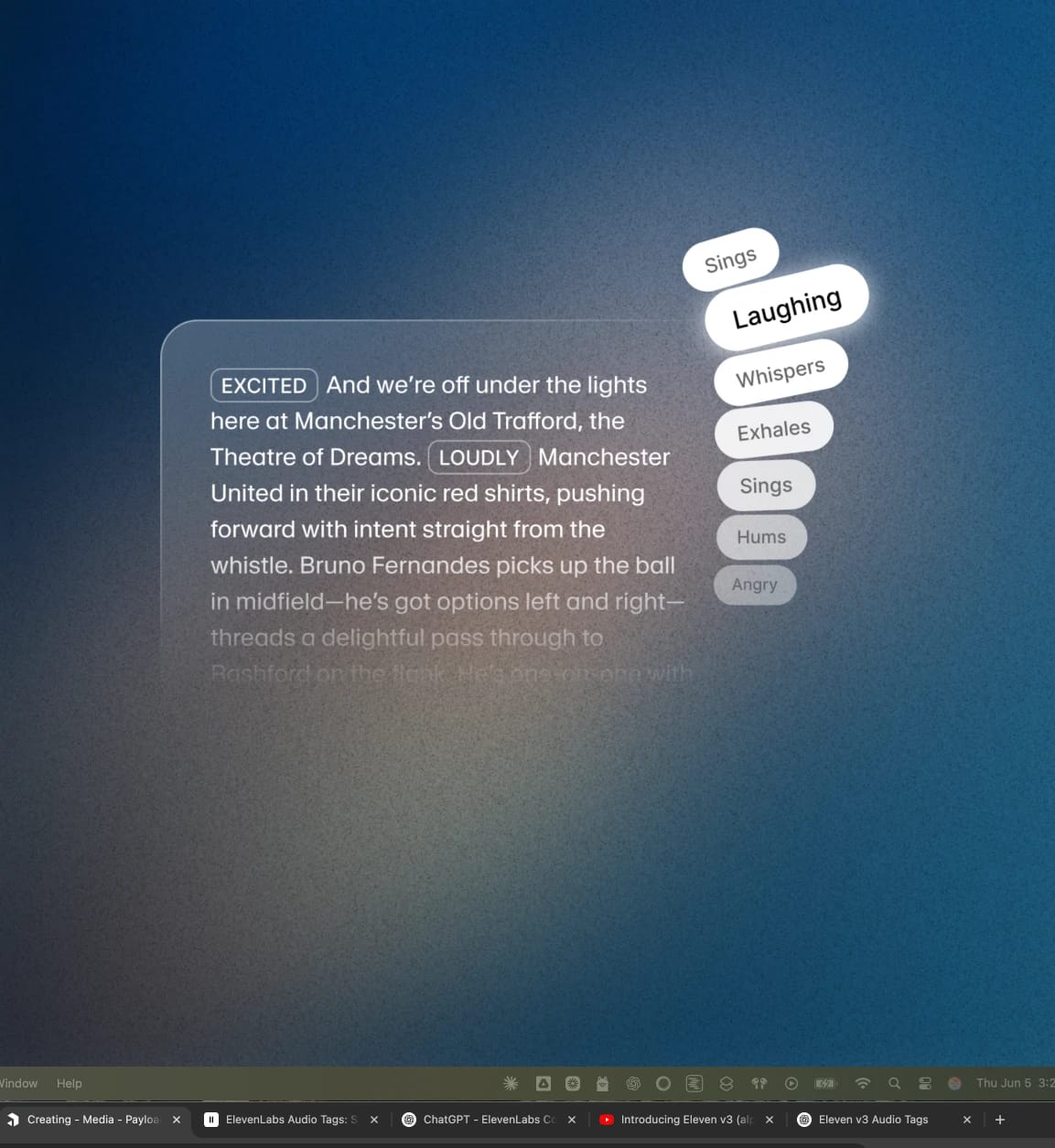
Audio tags are bracketed, natural-language cues, such as [laughs], [gasps], [excited], and [worried], that Eleven v3 reads as performance direction rather than words to speak. When you write a script for a text to speech model, inserting these audio tags gives you granular control over the emotional delivery of your writing.
Eleven v3 became publicly available in March of 2026. Before v3, getting a specific emotional performance out of a Text to Speech model was a process of regenerating content and hoping for the best. Audio tags strip away that guesswork, giving you full control over an emotional text to speech performance.
This guide covers what audio tags are, how they work, every tag category available, and how they compare to SSML (Speech Synthesis Markup Language). We’ll also cover common use cases, each linking to its own dedicated guide.
Summary:
- Audio tags are bracketed cues like [shouts] or [excited] that direct emotion, pacing, delivery, and tone within TTS in Eleven v3.
- Eleven v3 doesn’t support SSML but replaces it with audio tags for a more natural writing experience.
- Tags range across a few categories, such as emotions, delivery and pacing, human reactions, accents, and sound effects.
- Punctuation and capitalization in your text allow you to shape the pacing of an AI voice performance.
- You can access audio tags on ElevenLabs via the UI or through the API.
How do audio tags work?
Audio tags sit inline with your transcript and are wrapped in square brackets. Whenever you want the delivery to shift, let’s say from normal to [worried], you simply need to add an audio tag.
You can also use more than one tag in a single sentence and can combine tags for a more layered performance, such as [tired] It’s been a long day… [upset] How many more days can I take?
The architecture behind Eleven v3 allows the model to read context at a deeper level than earlier models, letting it to follow emotional cues, tone shifts, speaker transitions, and context clues without needing a separate parameter or setting. Simply tell the model what the moment calls for, and it’ll perform the line exactly as you planned.
Eleven v3 also handles multi-speaker dialogue that feels spontaneous, including interruptions, mood shifts, and the natural back-and-forth of real conversation, all from tags and script structure alone.
Audio tags vs. SSML
If you’ve worked with other TTS systems, you’ve likely come across Speech Synthesis Markup Language. Platforms like Amazon Polly and Microsoft Azure Speech use SSML tags like <break> or <emphasis> to give a degree of additional context to a TTS script.
Eleven v3 doesn’t support SSML break tags or the rest of the SSML tag set. Instead, audio tags, punctuation, and the very fabric of a text’s structure take over the role, all while offering granular control over delivery.
You can use the table below to map out common SSML tags to the Eleven v3 equivalent.
From a writer’s perspective, adding [whispers] to a line takes much less effort than configuring a prosody rate.
The categories of audio tags in v3: Directing performance with audio tags
You can place audio tags anywhere in your script to shape delivery in real time. You can also use combinations of tags within a script or even in a sentence.
Tags fall into the following core categories.
Emotions
These tags can help you set the emotional tone of the voice, whether it's somber, intense, or upbeat. For example, you could use one or a combination of [sad], [angry], [happily], and [sorrowful].


Delivery and pacing
These are more about the tone and performance. You can use these tags to adjust volume and energy for scenes that need restraint or force. Examples include tags such as [whispers], [shouts], and [softly].


Human reactions
True natural speech includes reactions. For example, you can use this to add realism by embedding natural, unscripted moments into speech. Tags like [laughs], [clears throat], and [sighs] all help create a TTS model capable of delivering human emotion.
Other examples of different audio tag categories include:
- Accents and character voices: Accent tags shift the voice into a specific region or persona without switching models, such as [French accent], [British accent], or [pirate voice]. Use them to turn a single voice into a flexible cast rather than one fixed performance.
- Sound effects: Sound effect tags add non-speech audio directly into the generation, such as [gunshot], [explosion], and [clapping]. These work well for immersive audio, games, and dramatized narration where the scene needs more than a voice. Alternatively, use the ElevenCreative AI sound effect generator.
While tags offer you a high degree of control, you can also use punctuation to shape rhythm and emphasis. For example, add an ellipsis for a natural pause or use commas to create natural breathing patterns. Try writing a word in all caps to add emphasis: “I want it right NOW.”


What can you do with audio tags?
Audio tags unlock the emotional complexity of scripts in an intuitive way. Write naturally, and add tags as you go.
Here is a quick glimpse of some use cases of emotional TTS with audio tags.
Situational awareness in AI audio
Tags such as [whisper] or [shouting] let Eleven v3 react to the moment. From softening a warning to holding an elongated pause for suspense, you can build dynamic situational awareness into your script.
For a full breakdown, take a look at our situational awareness in AI audio guide.
Directing character performance in speech
When building out a script with multiple characters, you want to clearly demonstrate how each voice is different. From tinkering with their personality using [sarcastically] to defining how they speak with [British accent], you can capture a full range of emotions with our TTS engine.
Discover more detail about directing character performance in AI speech.
Expressing emotional context in speech
Audio tags allow you to shape the emotional delivery of a line as it progresses. You can build emotions throughout a speech, reaching a crescendo the moment you envision your character at their full potential. Tags like [awe], [booming], and [big laugh] help build an entire emotional range into your AI voice performance.
Read more about using emotional context in AI speech.
Bringing multi-character dialogue to life
When building multi-character dialogue performances, you can begin each line with an audio tag to build out rich character discussions.
Take the following as an example: Tom: [coughing] [beginning to speak] sorry I’m a little bit ill today— Emma: [interrupting] —Ill? You know how I hate coughing, Tom! Tom: [surprised] It’s just a little cough, it’s nothing serious. How would you feel if— Emma: [overlapping] [annoyed] —I think you need to go home.
See what else you can do with multi-character dialogue on Eleven v3.
Precision delivery control for AI speech
You can control the pacing of speech with Eleven v3 with audio tags or through punctuation. Tags like [pause], [rushed], or [drawn out] let you actively shape the line with precision. Alternatively, add ellipses, full stops, and exclamation marks to build emotion naturally into your TTS performance.
We’ve written an in-depth guide about precision delivery control on Eleven v3.
Emotional TTS is available on the API
Audio tags work the same way through the Text to Speech API as they do within the ElevenLabs UI. Write the tag inline with the script text, and the API will return the tagged performance in the generated audio, from audiobook pipelines to ad voiceovers.
Learn more about Eleven v3 or contact sales to get started today.

.webp&w=3840&q=80)
.webp&w=3840&q=80)